
Local-first
See where your time goes
Foreground apps, recorded automatically. No cloud by default — data stays on your computer.
Features
Built for reviewing your day — not surveillance.
Install and go. Start with the timeline, then rule-based reports. AI digests are optional.
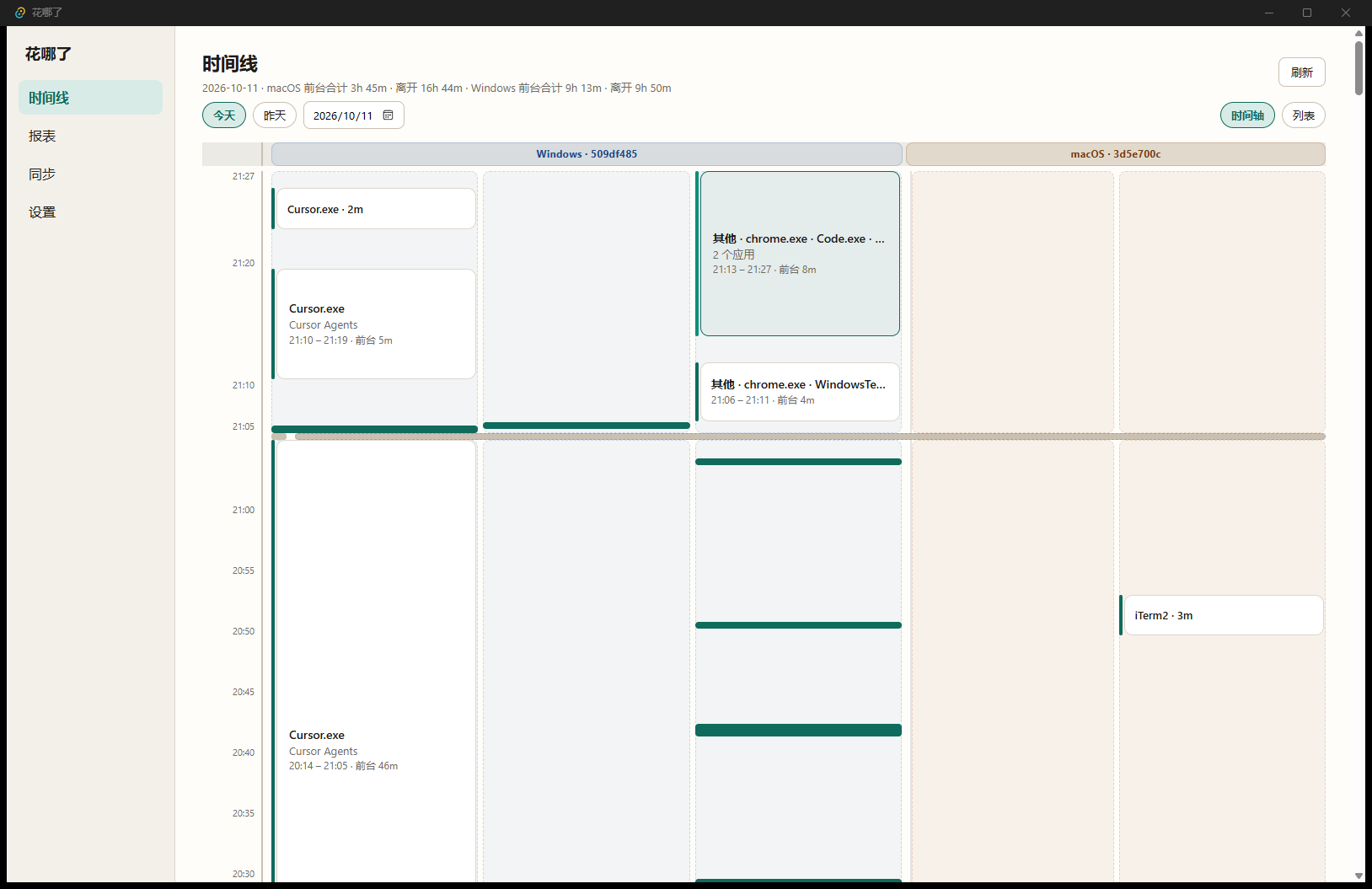
Timeline
Browse a day of foreground segments: vertical axis with app swimlanes, or a list view.
Rule-based reports
Durations and shares are computed in-app — no model required.
Optional AI digest
Configure a local or cloud model yourself to narrate the day. Keys stay on your machine.
Privacy
Local by default. Clear capture boundaries.
This site never hosts your activity data. The desktop app also defaults to no cloud and no required account.
Captured by default
Foreground app, window title, duration, and idle / away.
Not captured by default
Clipboard, screenshots, or global keystroke content.
Where it lives
Local SQLite. Only if you configure a cloud model API do summary fields go to that API.
FAQ
Common questions
Do I need an account?
No. Free use does not depend on a website account.
Is my data uploaded?
Not by default. Activity stays on your machine. Optional cloud AI requires your own config and only sends fields needed for a digest.
Which platforms are supported?
Windows and macOS desktops today. There is no iOS or Android app.
Does the OS block the installer?
Without code signing, Windows SmartScreen — or Gatekeeper on unsigned/unnotarized macOS builds — may warn about an unknown publisher. Verify the build on this site’s GitHub Releases before installing.
Install it. See where today went.
One install. No browser extension required.